Search tool
Last modified: Wednesday February 04, 2026.
The Search tool provides powerful investigation capabilities that allow you to quickly find evidence and events using AI-powered video analytics. Instead of manually scrubbing through hours of footage, you can use specific criteria—such as appearance, behavior, or audio—to locate people, vehicles, or incidents across your deployment.
The Search tool uses video metadata stored on either a cloud camera or saved on the Cloud Connector that hosts a camera.
Search does not find results in any information that only exists as a Cloud Backup.
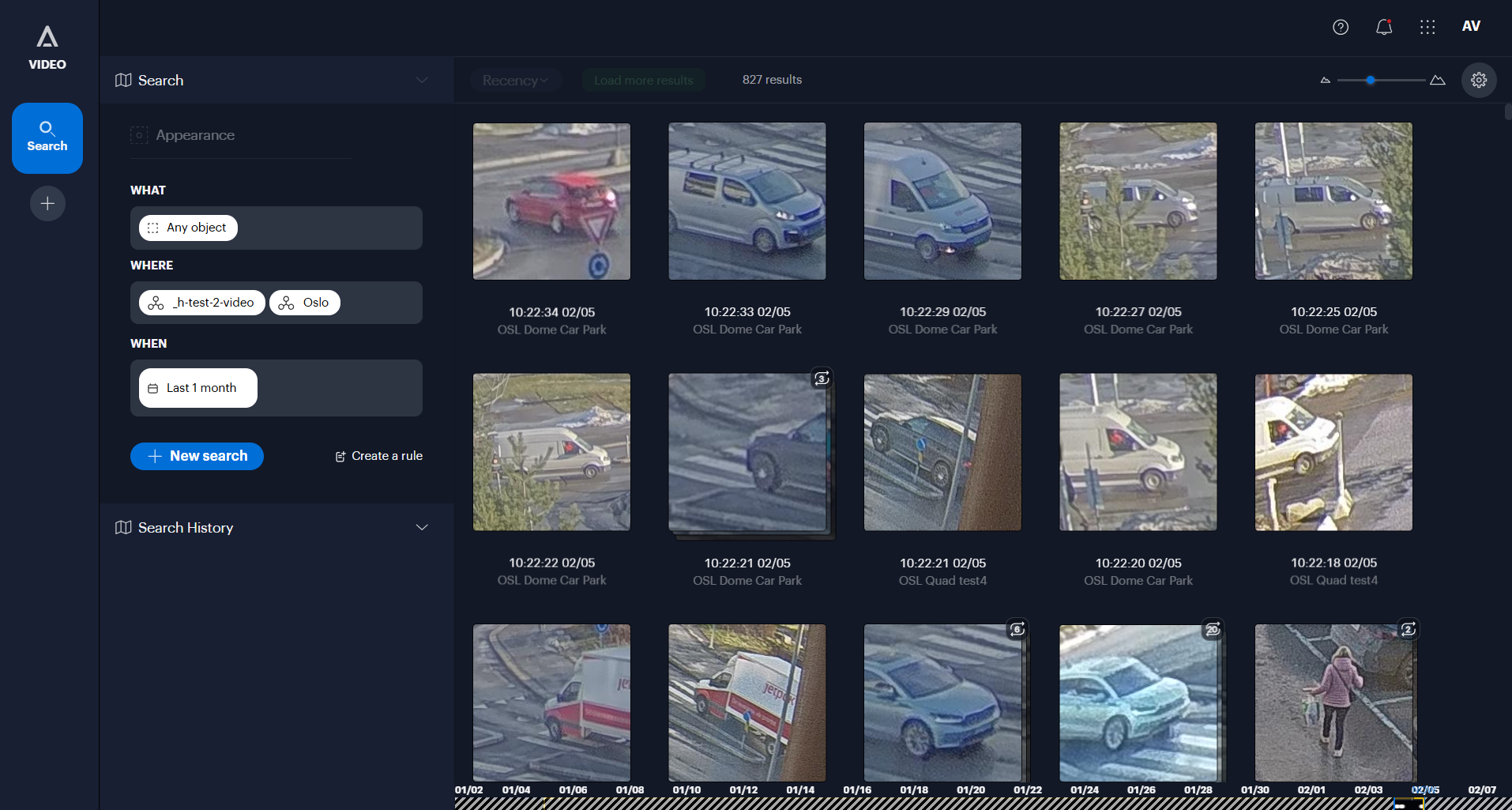
The Alta Video Search tool
Key features
- Appearance search: Search for objects based on physical characteristics, such as finding people by gender and clothing color, or vehicles by type and color,.
- Face search: Search for a specific face to find matches across your cameras, or use a "similarity search" to find people who look like a selected subject,.
- Behavioral analytics: Locate specific events, including Line-crossing (objects crossing a defined boundary) or Loitering (objects remaining in an area for a specified duration),.
- Search by image: Upload an image of a person, face, or vehicle to use as the reference for finding matching footage in your system.
- Audio search: Identify specific sound events detected by Avigilon Ava cameras, such as glass breaking, gunshots, screaming, or loud noises,.
- Point of sale (POS) search: Search for transaction data, such as specific product names or price values (e.g., items costing more than a set amount),.
- License plate recognition (LPR): Filter results by specific license plate numbers, partial matches, or license plate groups if LPR is enabled,.
- Quick search: Instantly initiate a search for a person or vehicle directly from the Video view or Map view by selecting an object on the screen,.
- Similarity search: Refine your results by selecting a specific clip and asking the system to find more examples that look like that specific detection.
- Search history: Quickly rerun recent investigations by accessing a log of the last five searches performed.
- Create rules from search: Convert a successful search query into a real-time rule to receive alerts for similar future events.
