Events tool
Last modified: Monday February 09, 2026.
The Events tool allows you to review all events triggered within Alta Video. Unlike Alarms, which are designed to demand immediate attention via pop-ups in the Video view and Maps tool, Events are generally activities that do not require immediate intervention but are recorded for later review and investigation. This tool acts as a central log for security events, anomalies, access control activity, and license plate detections
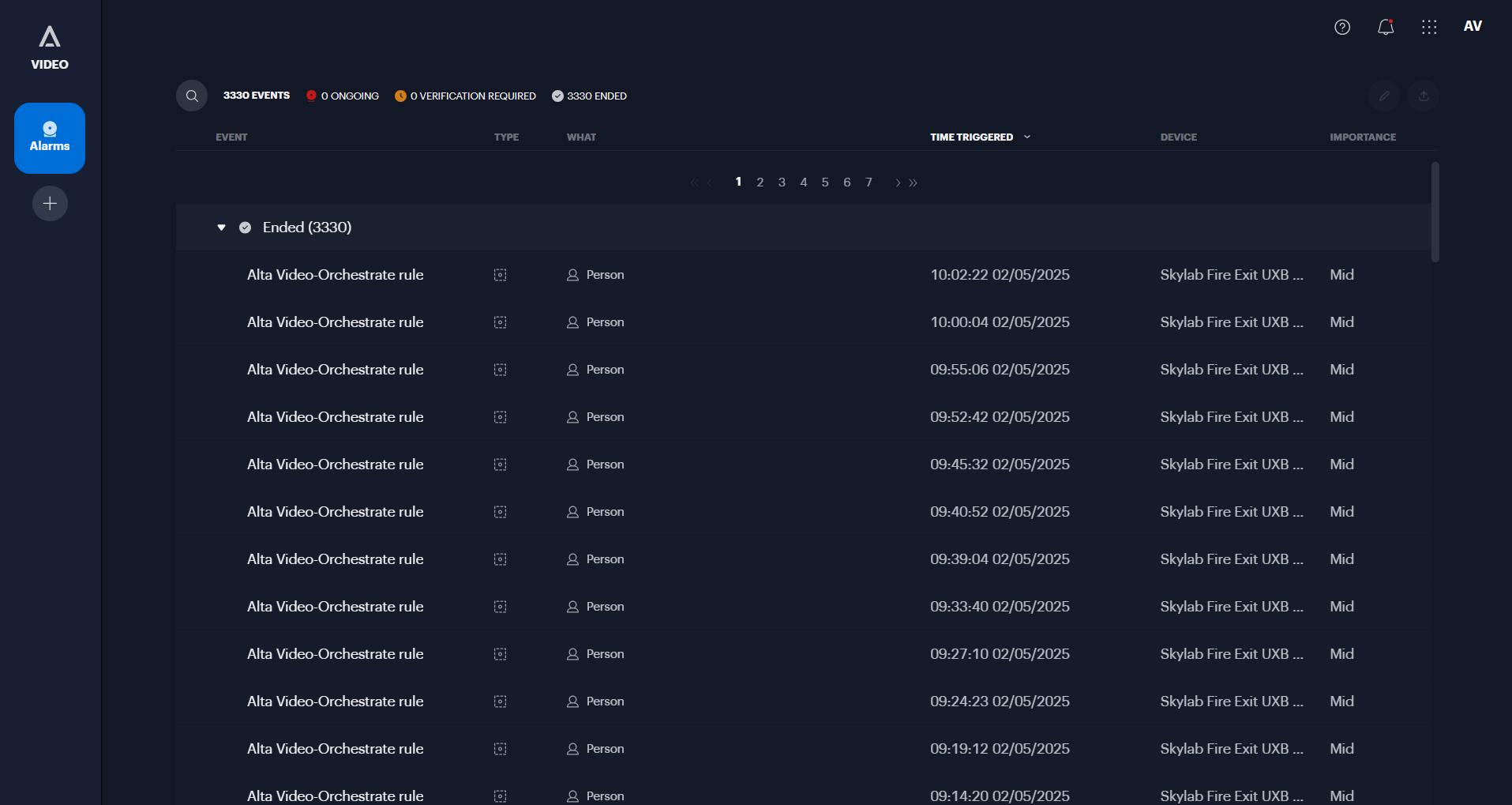
The Alta Video Events tool
Key Features
- Event Review: View a comprehensive list of triggered rules that have been configured as "Security Events" rather than "Security Alarms".
- Anomaly Detection: Review unusual behaviors detected by the system’s AI video analytics, such as unexpected movement or activity patterns, after the system has completed its initial learning period.
- Access Control Activity: If integrated, review access control events, such as "Access denied" or "Forced entry," alongside associated video footage.
- License Plate Recognition (LPR): View a list of license plates detected by LPR-enabled cameras. You can filter these results to exclude detections with low confidence.
- License Plate Management: Manage license plate groups by adding vehicles manually, importing via CSV, or adding them directly from a detected event.
- Search and Filter: Quickly locate specific events using the search bar or advanced filters to sort by category, event name, camera, or time.
- Video Playback: Hover over an event to access video controls, including the ability to play clips, zoom in for detail, or maximize the footage to see the associated map view.
- Verification: Mark events as Valid or False to help train the system and maintain accurate records.
- Logs and Comments: View automated system logs regarding the event and add manual comments.
