Alarms tool
Last modified: Wednesday February 04, 2026.
The Alarms tool allows you to review and manage all alarms and events triggered within Alta Video. It distinguishes between 'rule alarms', which are responses to specific rules created for detections (such as people, vehicles, or sound), and 'system alarms', which notify you of issues with cameras or Cloud Connectors.
While alarm notifications appear on the Video view and Maps for immediate attention, the Alarms tool provides a comprehensive list for detailed review and verification.
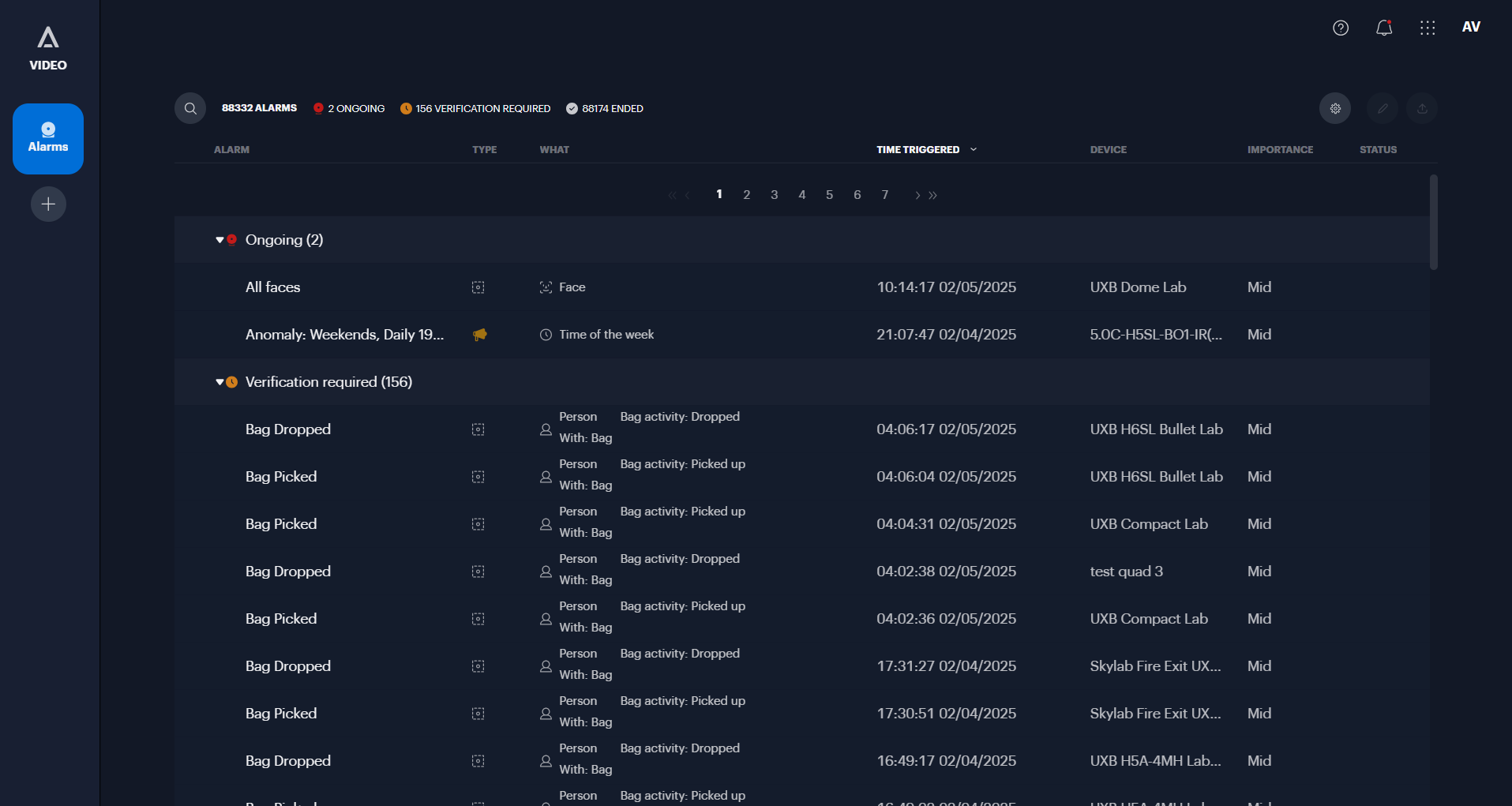
The Alta Video Alarms tool
Key features include:
- Review and playback: View details of security alarms and system issues, including playing back associated video clips and navigating the event timeline,.
- Search and filter: Quickly locate specific incidents using the search bar or filter results by category, such as alarm name, type, camera, view, or time triggered.
- Verification: Acknowledge alarms by marking them as Valid or False.
- Mute notifications: Temporarily silence notifications for a specific alarm or multiple alarms for a set period to manage repeated alerts during authorized activities,.
- Exclude false detections: Directly exclude specific objects from future analytics detections to reduce false alarms, such as a stationary object consistently misidentified as a person.
- Audio snippets: Listen to and download short audio recordings associated with sound-based rules or anomalies.
- Share and export: Save important footage by exporting video clips, creating external links to share with third parties, or bookmarking clips for internal review.
- Logs and comments: View automated logs regarding the alarm and add manual comments to document actions taken.
